Lenovo LOQ 15IAX9I 83FQ0009IN Gaming Laptop Launched in India ( Intel Core i5-12450HX / Intel Arc A530M / 8GB ram / 512GB SSD )

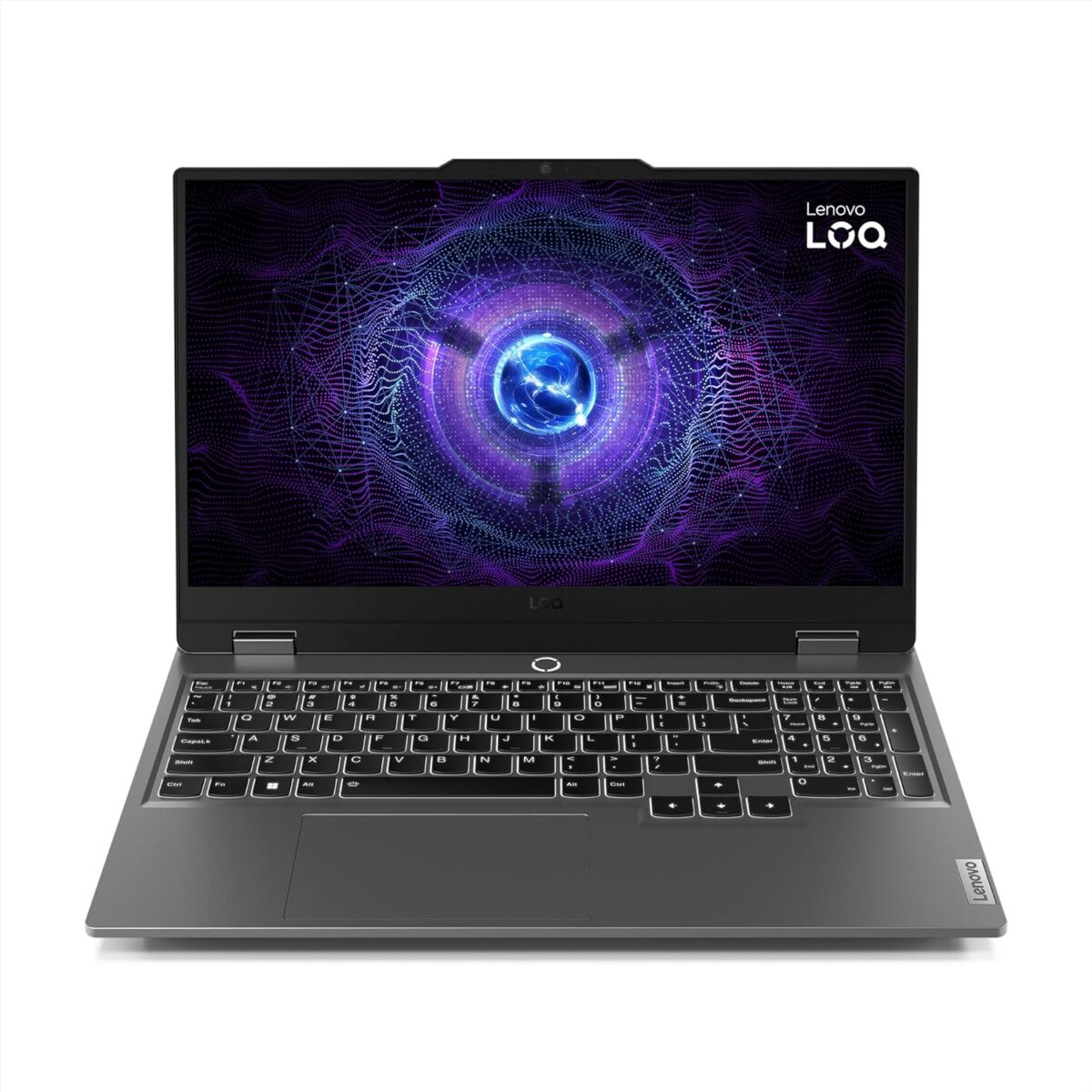
The Lenovo LOQ 15IAX9I 83FQ0009IN is a gaming laptop that is powered by the latest Intel® Core™ i5-12450HX processor and Intel® Arc™ A530M graphics. It has a 15.6-inch Full HD (1920 x 1080) IPS display with a 144Hz refresh rate, 8GB of DDR5 RAM, and 512GB of PCIe NVMe SSD storage. The laptop also comes with a backlit keyboard, Wi-Fi 6, and Bluetooth 5.1.

Price and Availability

The Lenovo LOQ 15IAX9I 83FQ0009IN is available to purchase from Amazon India for ₹79,990 ( MRP ). The launch selling price will be less than this and it will updated on Amazon.in in the coming days. Check out the product page here to know more about the current lowest price, offers, availability, and verified purchase buyer reviews if any.

Update: Lenovo LOQ 15IAX9I 83FQ0009IN price in India starts at ₹59,990. ( Lowest Price on Jan 11, 2024 – Check Amazon.in for updated pricing info ).

Performance

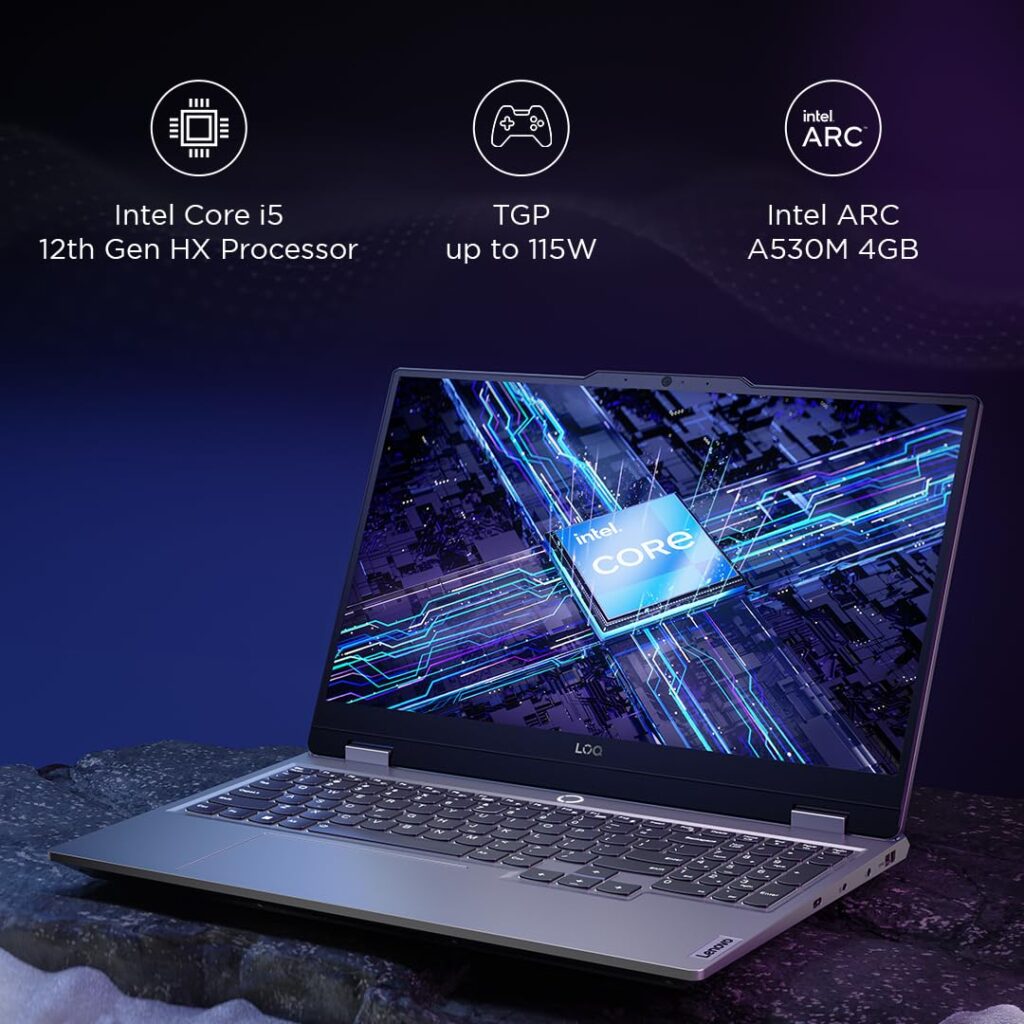
The Lenovo LOQ 15IAX9I 83FQ0009IN is an entry-level gaming laptop featuring Intel® Core™ i5-12450HX processor that has 8 cores and 12 threads, and it can turbo up to 4.4GHz. The Intel® Arc™ A530M graphics card has 4GB of GDDR6 memory with a max graphics power ( TGP ) of up to 115W ( Source: Amazon.in product images ).

  • Intel® Core™ i5-12450HX, 8C (4P + 4E) / 12T, P-core up to 4.4GHz, E-core up to 3.1GHz, 12MB
  • Intel® Arc™ A530M 4GB GDDR6
Lenovo LOQ 15IAX9I 83FQ0009IN graphics TGP

Lenovo LOQ 15IAX9I 83FQ0009IN Memory and Storage

The laptop comes with 8GB DDR5-4800 RAM, which is upgradable to 32GB, ensuring smooth multitasking. Storage-wise, it’s equipped with a 512GB SSD, providing fast boot times and quick game loads. Additionally, there’s support for up to two M.2 SSDs, offering plenty of room for expansion.

  • 1x 8GB SO-DIMM DDR5-4800
  • Two DDR5 SO-DIMM slots, dual-channel capable
  • Up to 32GB DDR5-4800
  • 512GB SSD M.2 2242 PCIe® 4.0×4 NVMe®
  • Up to two drives, 2x M.2 SSD
  • M.2 2242 SSD up to 1TB

Design

The Lenovo LOQ 15IAX9I 83FQ0009IN has a sleek and stylish design. It is made of a dark grey plastic material, and it has a white backlit keyboard. The laptop is also relatively thin and light, making it easy to transport.

Display

The Lenovo LOQ 15IAX9I 83FQ0009IN has a 15.6-inch Full HD (1920 x 1080) IPS display with a 144Hz refresh rate. The display is bright and clear, and it has good viewing angles. The 144Hz refresh rate makes for smooth and stutter-free gameplay, even in fast-paced games.

  • 15.6″ FHD (1920×1080) IPS 300nits Anti-glare, 100% sRGB, 144Hz

Battery

The Lenovo LOQ 15IAX9I 83FQ0009IN has a 60Wh battery. The battery life is average, and you can expect to get around 4-5 hours of use on a single charge.

  • Integrated 60Wh
  • 170W Slim Tip (3-pin)

Software and Other Features

Running on Windows 11 Home, the Lenovo LOQ also comes with a trial version of Microsoft Office. Unique features like the AI Chip LA1 and the E-shutter for privacy add to its appeal.

Connectivity and Audio

With Wi-Fi 6 and Bluetooth 5.1, connectivity is swift and reliable. The range of ports, including USB-C with DisplayPort, HDMI 2.1, and Ethernet, covers all the bases for peripherals and displays. The Nahimic Audio-optimized stereo speakers promise an immersive audio experience.

  • 1x USB-C® (USB 10Gbps / USB 3.2 Gen 2), with PD 140W and DisplayPort™ 1.4
  • 3x USB-A (USB 5Gbps / USB 3.2 Gen 1)
  • 1x HDMI® 2.1, up to 4K/60Hz
  • 1x Ethernet (RJ-45)
  • 1x Headphone / microphone combo jack (3.5mm)
  • Wi-Fi® 6, 11ax 2×2 + BT5.1
  • Stereo speakers, 2W x2, optimized with Nahimic Audio

Overall

The Lenovo LOQ 15IAX9I 83FQ0009IN is an affordable entry-level gaming laptop that is a great option for gamers who are looking for a good value for money.
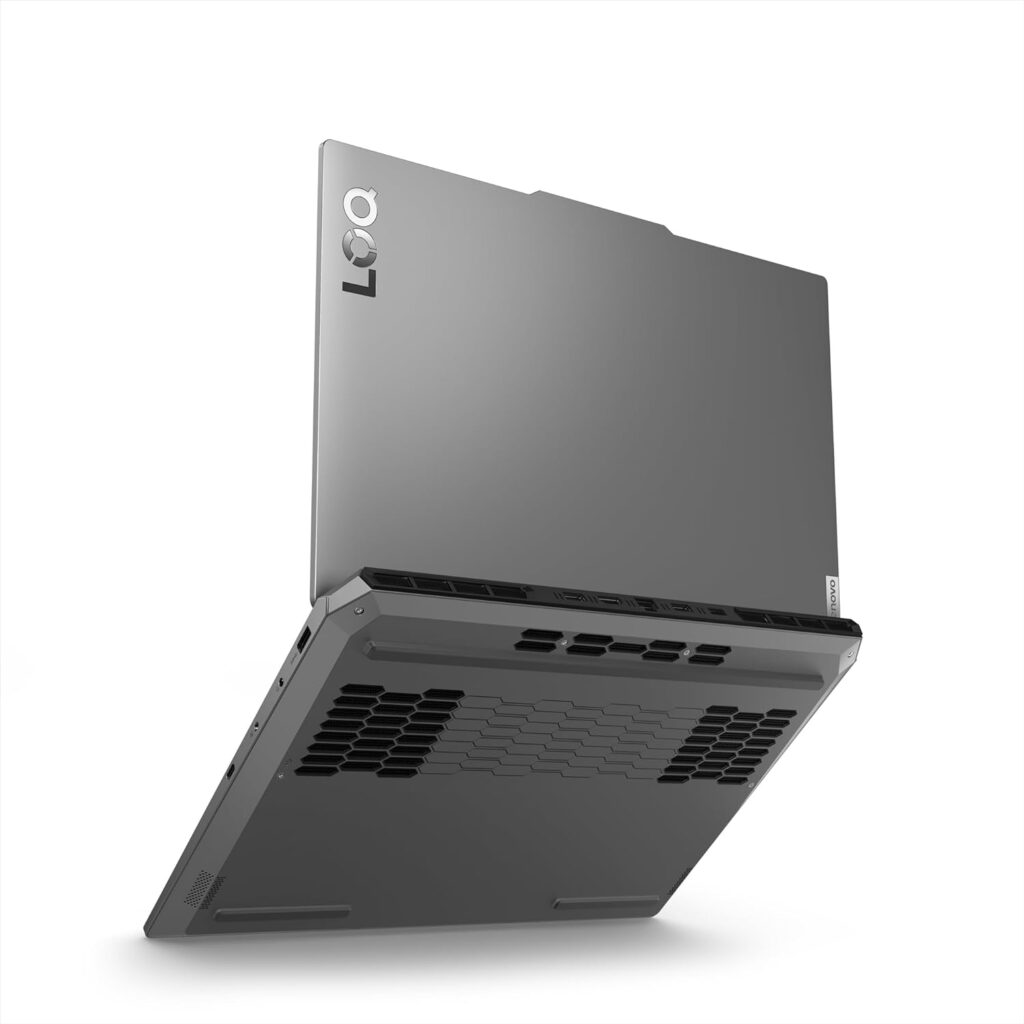
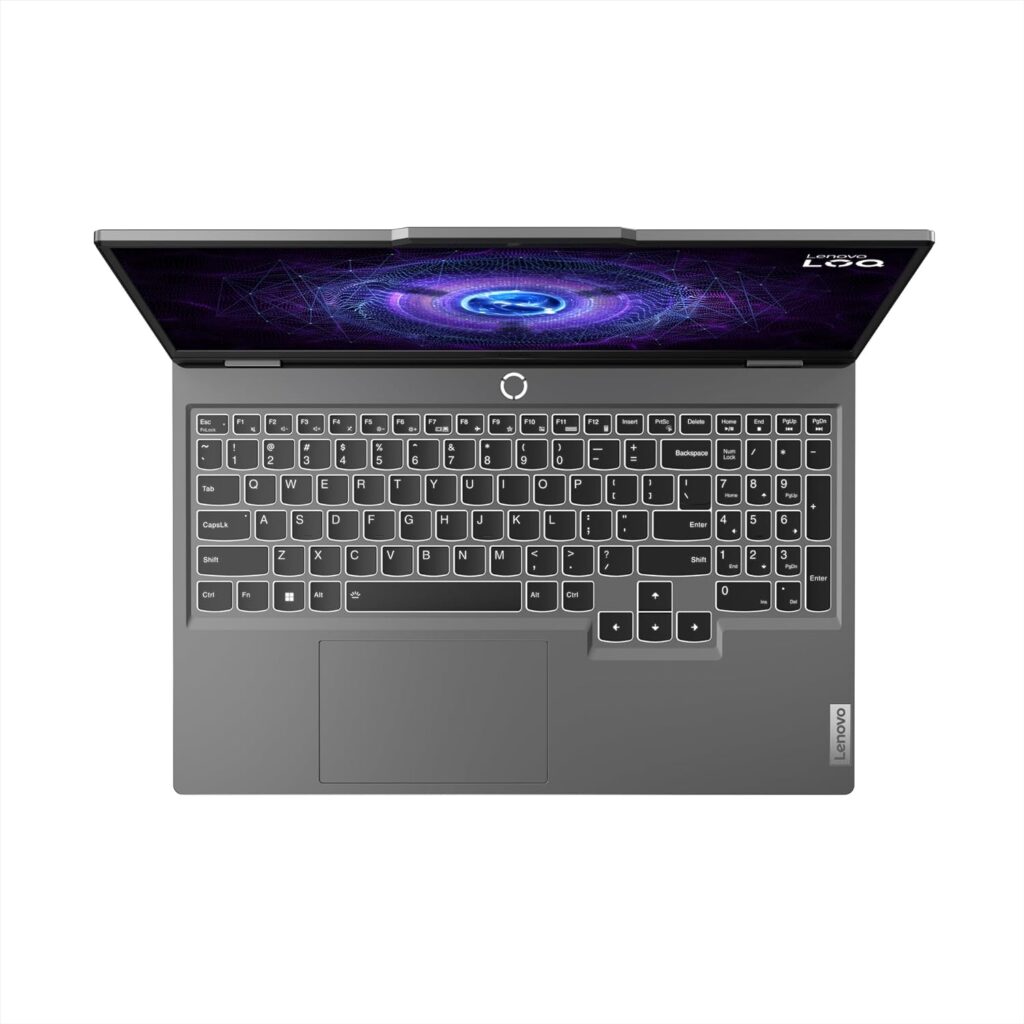
Lenovo LOQ 15IAX9I 83FQ0009IN back
Lenovo LOQ 15IAX9I 83FQ0009IN KB

Disclaimer: We strongly recommend reading verified purchase reviews before making any online purchase. Always buy from trusted sellers. Discounts are often based on MRP prices. As an Amazon Associate, we may earn a commission from qualifying purchases made through links on this blog.
HP Spectre 16-aa0665TU x360 2-in-1 OLED Laptop Launched in India ( Intel Core Ultra 7 155H / Intel Arc Graphics / 2TB SSD / 32GB RAM )

The HP Spectre x360 series has been synonymous with style, performance, and versatility, and the latest addition to this lineup, the 2024 HP Spectre 16-aa0665TU x360 2-in-1 OLED Laptop ( SKU 9T8K8PA#ACJ ), is no exception. This blog post will delve into the features, design, and performance of this high-end laptop, helping you decide if it’s the right choice for your needs.

Price and Availability

The HP Spectre 16-aa0665TU starts at ₹179,999 (incl. of all taxes), which includes a standard warranty. You can purchase this online from Amazon India ( Amazon.in ). Check out Amazon product page to know more about the current lowest price offers and to read verified purchase reviews.

Scroll down for full specs and features.

Related Laptops

Design and Build

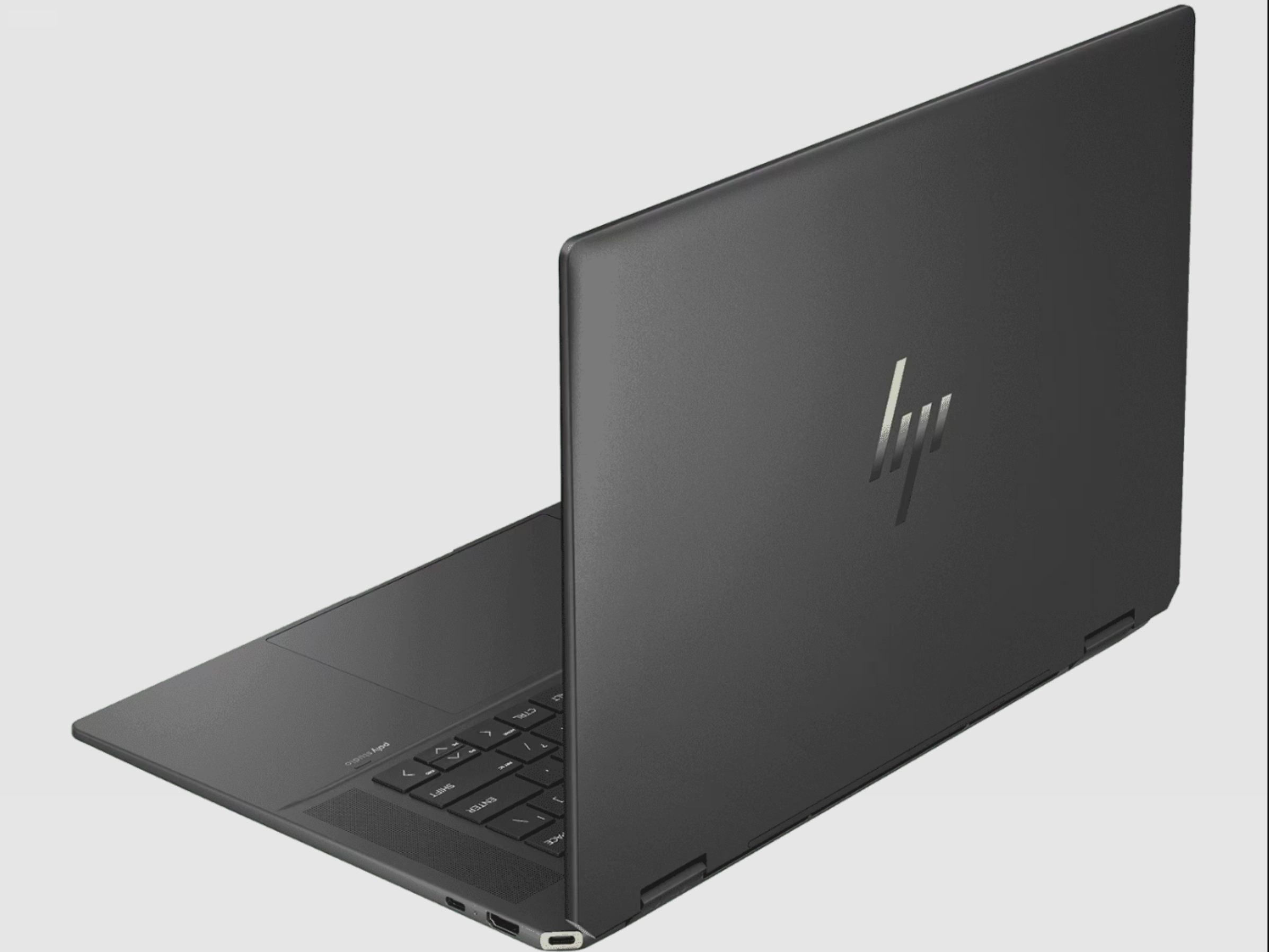
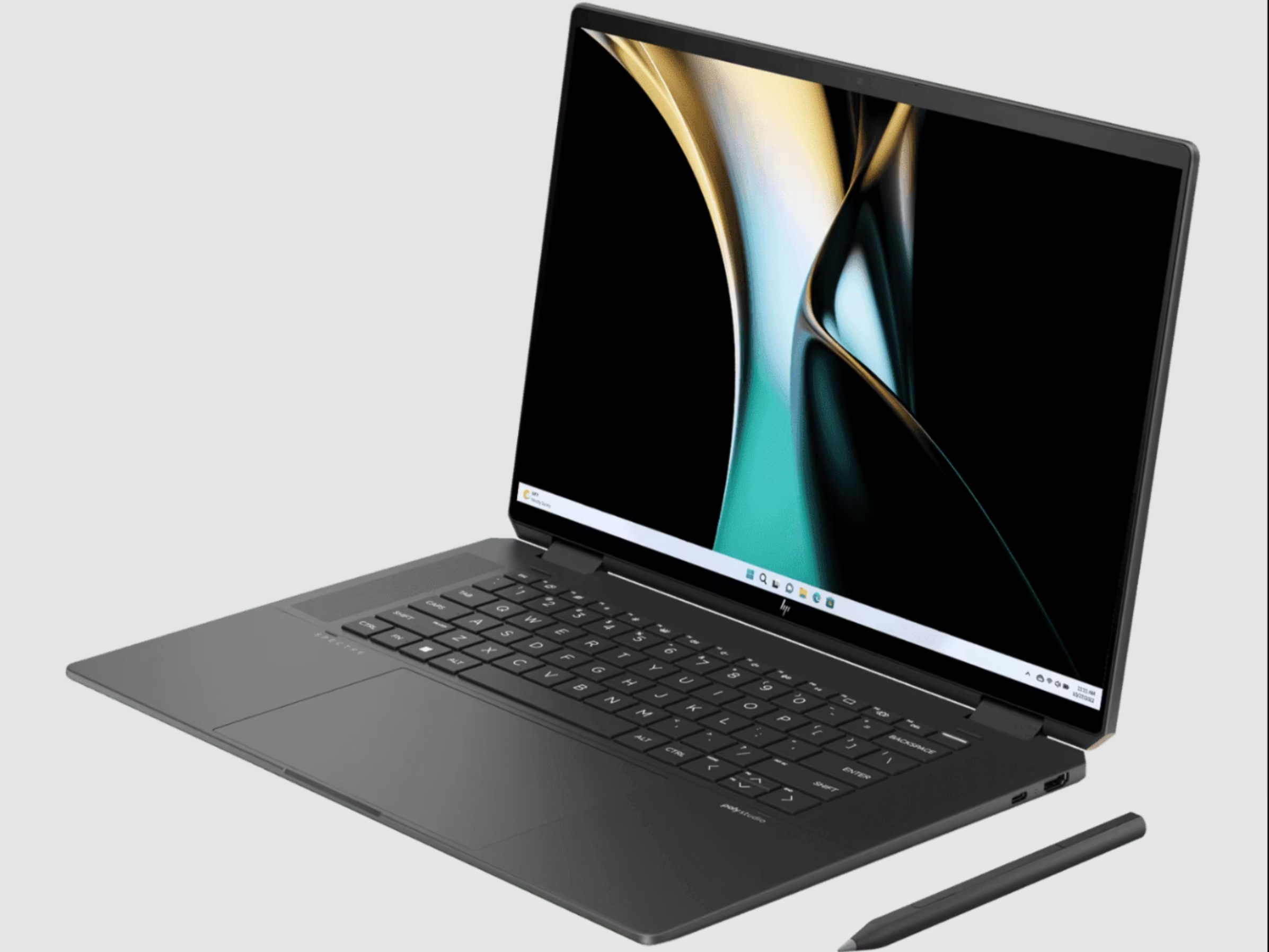
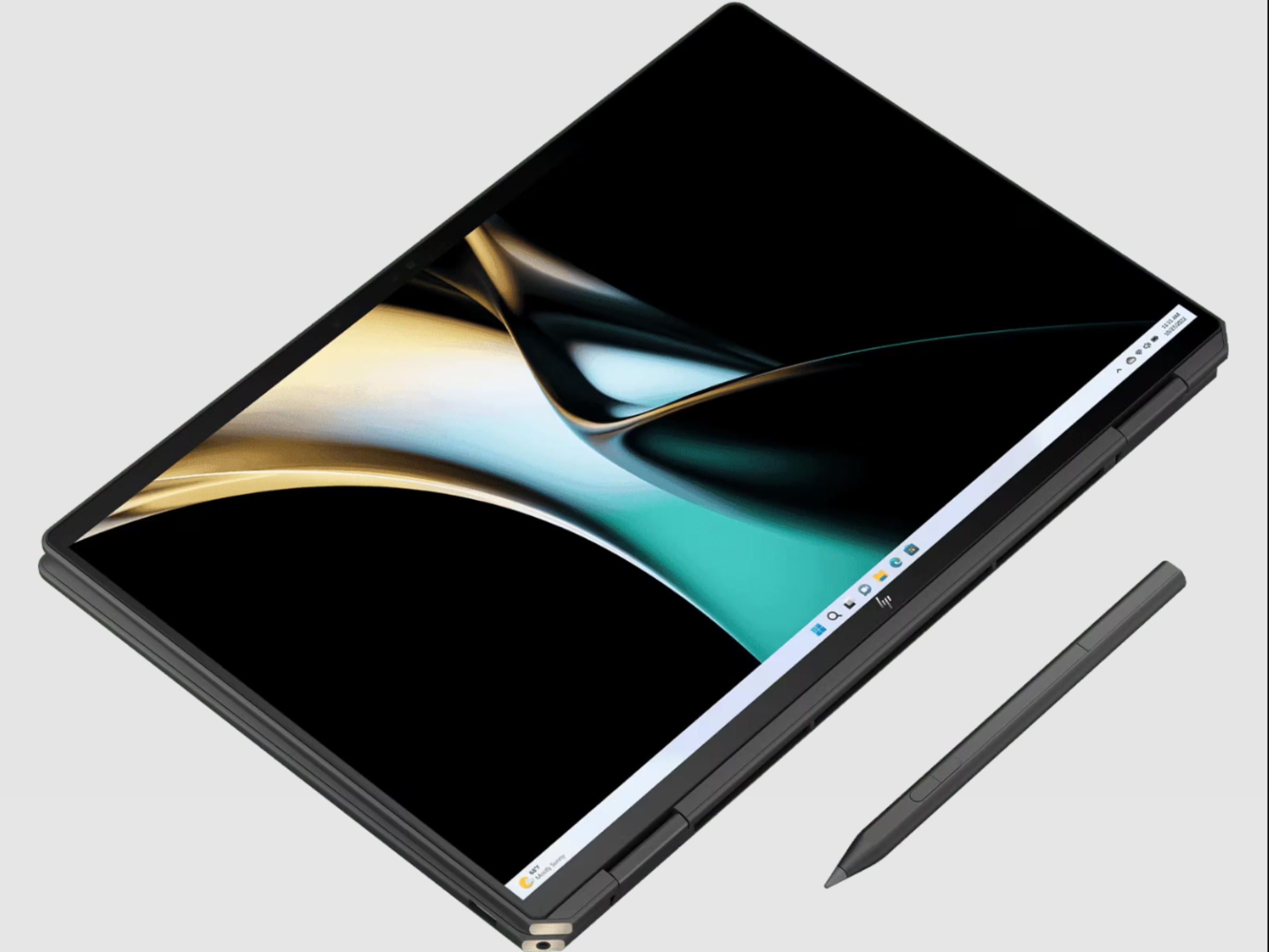
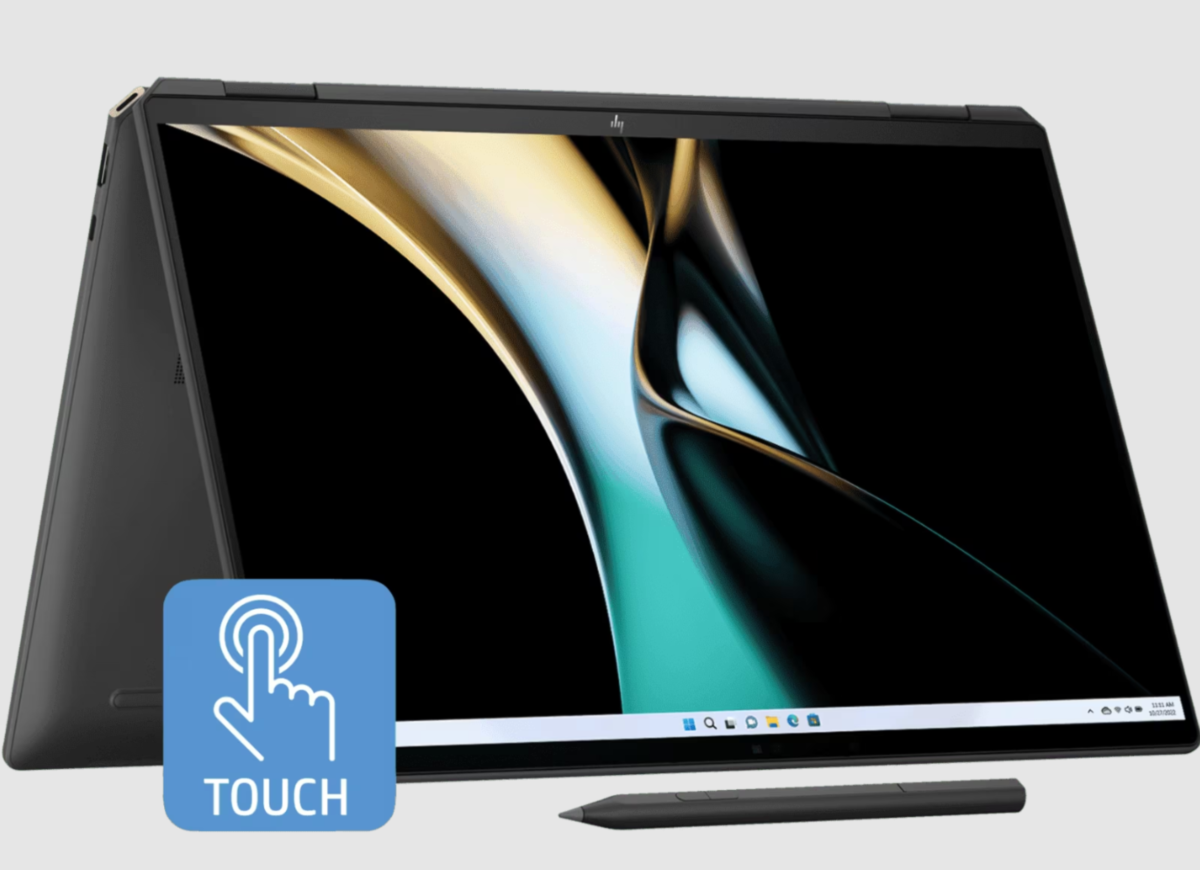
The HP Spectre 16-aa0665TU ( SKU 9T8K8PA#ACJ ) boasts an elegant Nightfall Black aluminum chassis, with a sandblasted finish that exudes premium quality. Its 40.6 cm (16-inch) 2-in-1 design is not just aesthetically pleasing but also functional, offering the flexibility of a tablet and the power of a traditional laptop. The laptop weighs around 1.95 kg, balancing portability with a robust build.

Display

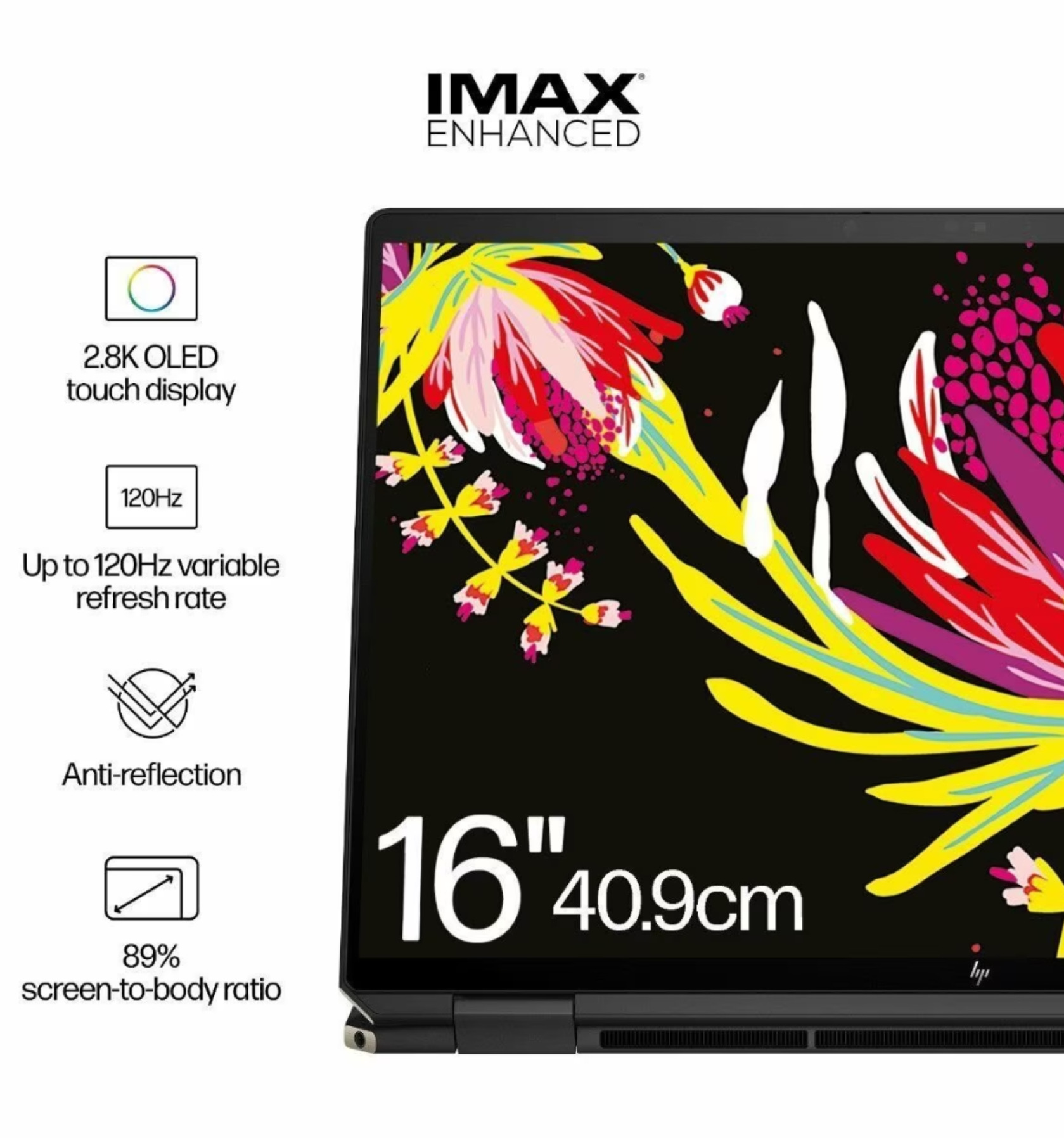
One of the standout features of this model is its 2.8K (2880 x 1800) OLED touchscreen display. The OLED technology ensures vibrant colors and deep blacks, making it a joy for multimedia consumption and creative work. It’s also IMAX Enhanced certified, ensuring a top-tier viewing experience. The 16:10 aspect ratio provides more vertical space, beneficial for productivity tasks.

Performance

Under the hood, the 2024 HP Spectre 16-aa0665TU is powered by the Intel® Core™ Ultra 7 155H processor. This, combined with 32 GB LPDDR5x-6400 RAM, ensures swift and smooth performance whether you’re multitasking, video editing, or gaming. For storage, it comes with a substantial 2 TB SSD, providing ample space for all your files and applications.

Graphics

This model features Intel® Arc™ Graphics, offering solid performance for creative applications and casual gaming. The graphics card supports modern features and provides sufficient power for most users’ needs.

Connectivity and Ports

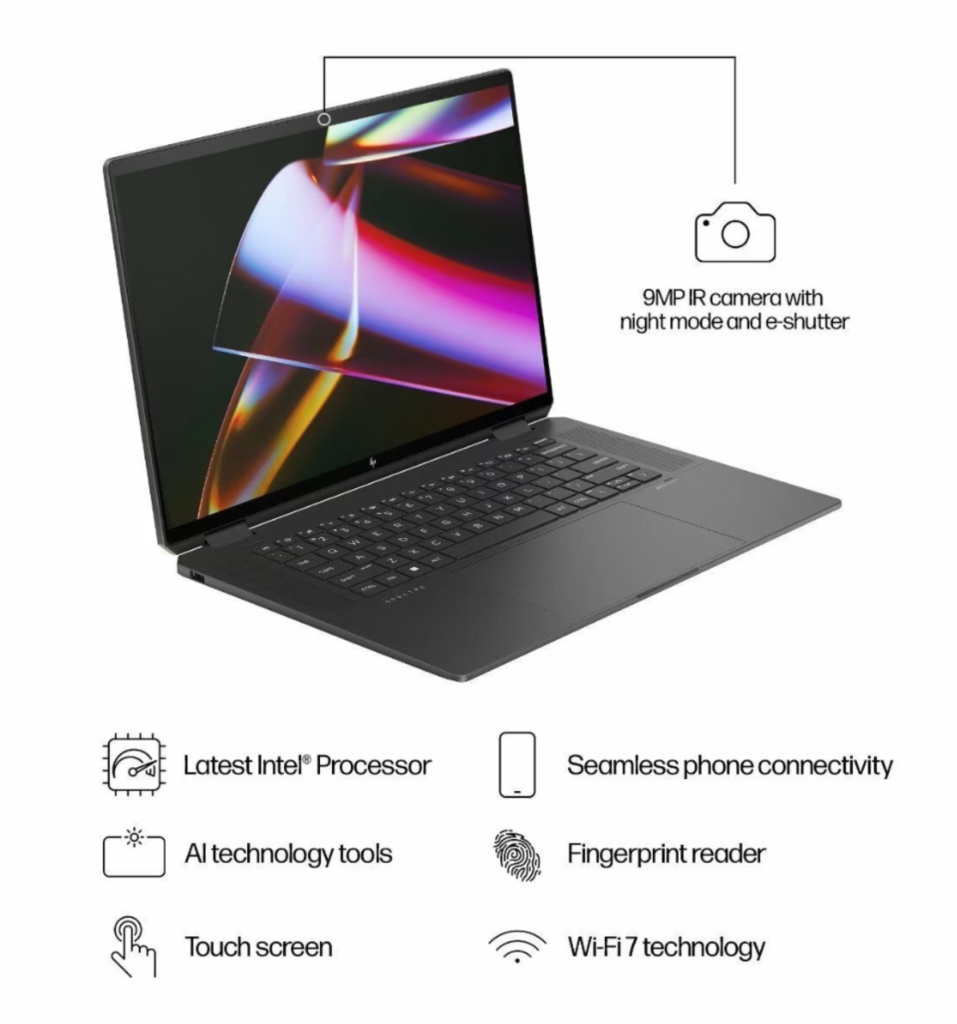
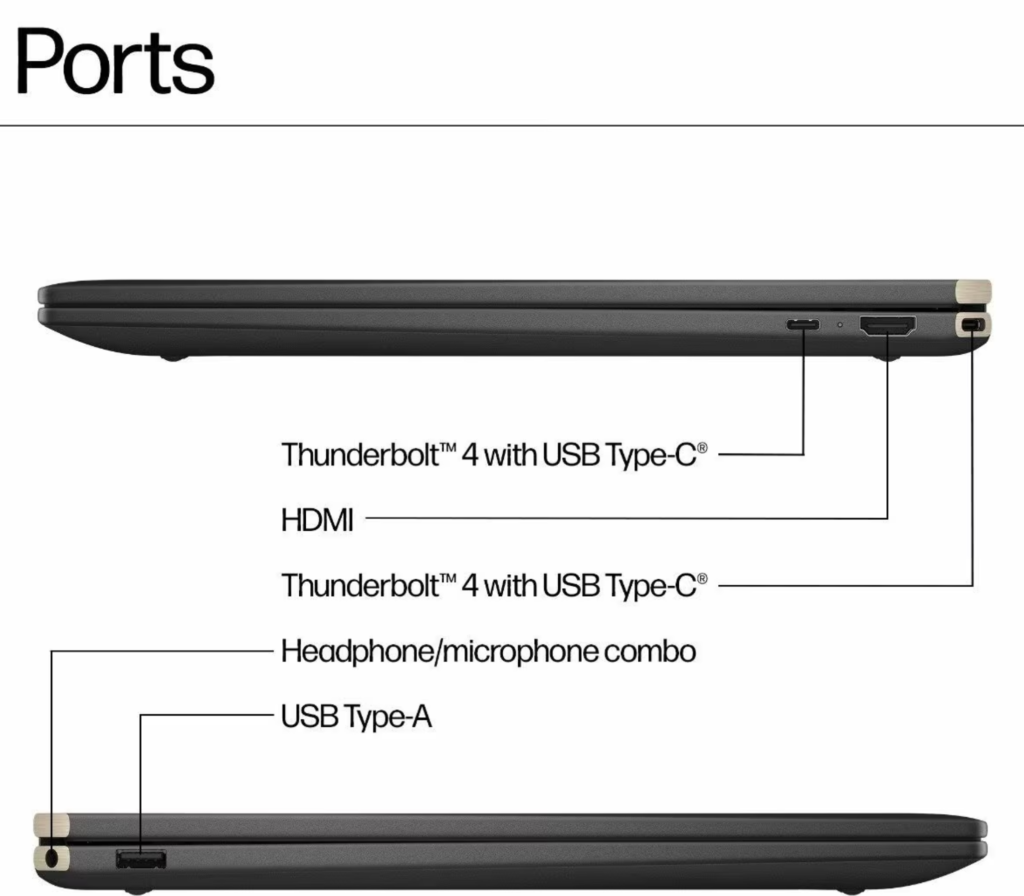
The Spectre 16-aa0665TU offers a range of connectivity options, including two Thunderbolt™ 4 ports with USB Type-C® support, a USB Type-A port, an HDMI 2.1 output, and a headphone/microphone combo jack. Wireless connectivity is handled by Intel® Wi-Fi 7 and Bluetooth® 5.4, ensuring fast and reliable connections.

Keyboard and Touchpad

The backlit keyboard offers a comfortable typing experience, even in low-light conditions. The unique haptic touchpad supports gesture control for volume and brightness, adding a layer of convenience to your interactions.

Webcam and Audio

The laptop features a Wide Vision 9MP IR camera, perfect for video conferencing and online meetings. The audio is tuned by Poly Studio, providing a rich and immersive sound experience.

Battery Life

HP claims up to 15.3 hours of battery life, which is impressive for a laptop with such a high-resolution display. The 83 Wh Li-ion polymer battery ensures you can work or play for extended periods without reaching for the charger.

Additional Features

  • AI-Enhanced Features: The laptop includes AI gestures for photo browsing and video streaming, along with walk-away lock and wake-on-approach features for added convenience and security.
  • HP Rechargeable MPP 2.0 Tilt Pen: Enhances creativity, offering a natural writing and drawing experience.
  • Intel Unison: This feature allows seamless connection with iOS or Android phones for easy photo transfers and messaging.
  • Sustainability: HP has made a commendable effort in using recycled materials, including ocean-bound plastics and recycled metals, in the laptop’s build.

Conclusion

The HP Spectre 16-aa0665TU x360 2-in-1 OLED Laptop is a compelling choice for those seeking a powerful, versatile, and beautifully designed laptop. Its stunning display, robust performance, and array of features make it an excellent option for professionals, creatives, and everyday users alike.

Check out the product page here to know more about the current lowest price, offers, buyer reviews and availability.

HP Spectre 16-aa0665TU Technical Details

SpecificationDetails
ModelHP Spectre 40.6 cm (16) x360 2-in-1 Laptop OLED 16-aa0665TU – Black
ProcessorIntel® Core™ Ultra 7 155H (up to 4.8 GHz with Intel® Turbo Boost Technology, 24 MB L3 cache, 16 cores, 22 threads)
Operating SystemWindows 11 Home
Display40.6 cm (16) diagonal, 2.8K (2880 x 1800) OLED touchscreen, Corning® Gorilla® Glass NBT™, Low Blue Light, SDR 400 nits, HDR 500 nits, 100% DCI-P3 color gamut
GraphicsIntel® Arc™ Graphics
Memory (RAM)32 GB LPDDR5x-6400 MHz RAM (onboard)
Storage2 TB PCIe® Gen4 NVMe™ TLC M.2 SSD
KeyboardFull-size, backlit, nightfall black keyboard
CameraHP Wide Vision 9MP IR camerawith camera shutter, temporal noise reduction and integrated dual array digital microphones
Security FeaturesFingerprint Reader
Battery 6-cell,83 Wh Li-ion polymer
Power supply100 W USB Type-C® power adapter
PortsUSB Type-A, HDMI-out 2.1, headphone/microphone combo, Thunderbolt™ 4
Wireless ConnectivityIntel® Wi-Fi 7 BE200 (2×2) and Bluetooth® 5.4
AudioAudio tuned by Poly Studio
Additional FeaturesHP Rechargeable MPP 2.0 Tilt Pen, Haptic Touchpad
SustainabilityMade with recycled metals and ocean-bound plastics
Price (Starting at)₹179,999 (incl. of all taxes)
Product weight1.95 kg
Product colorNightfall black aluminum
Screenshot from 2024 01 09 16 04 04
Screenshot from 2024 01 09 16 05 03
Screenshot from 2024 01 09 16 03 42
Screenshot from 2024 01 09 16 03 25
Screenshot from 2024 01 09 16 04 42
Screenshot from 2024 01 09 16 02 55

HP ENVY 16-h0028TX Laptop OLED Touch Launched in India ( 12th gen Intel Core i7-12700H / Intel Arc A370M Graphics )

HP India has launched the 2022 ENVY 16-h0028TX OLED Touch Laptop powered by 12th Gen Intel Core i7 processor and the new Intel ARC Graphics online. It has a launch selling price of ₹144,999 ( Sep 22, 2022 ) and an MRP list price of ₹1,62,635. Check out the current lowest price, offers and buyer reviews if any on Amazon.in here.

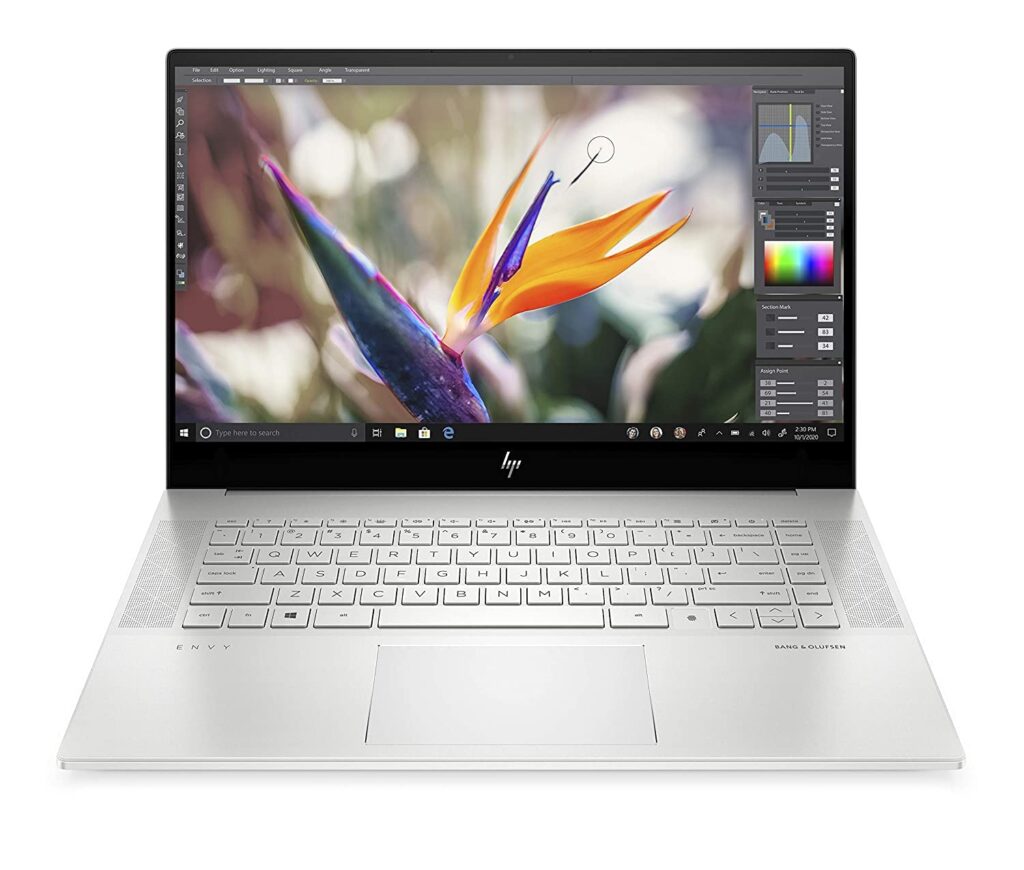
HP ENVY 16-h0028TX Laptop features a 16-inch OLED panel with touchscreen support. It has a 4K UHD+ screen with 100% DCI-P3 and supports a peak brightness of 500nits ( HDR ). The native resolution of the screen is 3840 x 2400 pixels.

HP ENVY 16 h0028TX

HP has powered 2022 ENVY 16-h0028TX Laptop with an Alder Lake 12th Gen Intel Core i7-12700H 14-core processor which has 6 Performance-cores and 8 Efficient-cores. The specs available on Amazon.in as of this writing claim this model to have i7-1250U instead of a more powerful i7-12700H. The official specs say this to have i7-12700H. Currently, we don’t know which one is true.

It comes with 16GB of ram ( DDR5-4800 MHz RAM, 2 x 8 GB ) and has 512GB SSD storage ( PCIe® NVMe TLC M.2 SSD ). HP has equipped this model with a 6-cell, 83 Wh Li-ion polymer battery and provides a 150 W Smart AC power adapter in the box.

HP 16-h0028TX supports the new 6Ghz WiFi 6E networks and has Bluetooth 5.2 to connect wireless accessories. It features a Full-size, backlit, natural silver keyboard and has HP Imagepad with multi-touch gesture support.

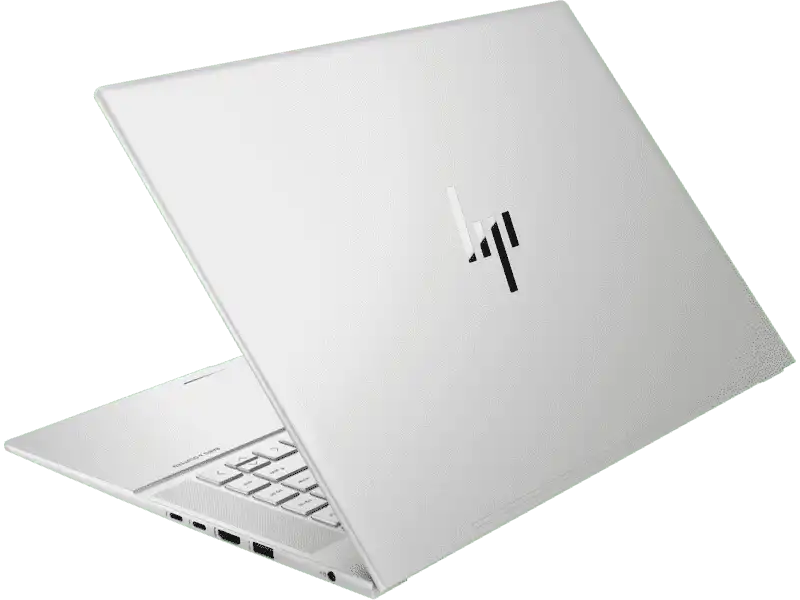
HP has equipped this model with plenty of ports – 2x Thunderbolt 4 with USB4 Type-C ports ( 40Gbps signaling rate, USB Power Delivery, DisplayPort 1.4, HP Sleep and Charge ) 1x USB Type-A 10Gbps signaling rate (HP Sleep and Charge), USB Type-A 10Gbps signaling rate port, an HDMI 2.1 port and a 3.5mm combo mic/headphone jack. Check out the full specs and features below.

Similar Laptops
HP Envy x360 13-BF0063TU OLED
( Core i7-1250U / 16GB / 1TB SSD )
HP Envy x360 13-bf0059tu ( 12th Gen Intel Core i7-1250U / OLED / 16GB ram / 512GB SSD )
HP Envy 15-ep1087TX ( Core i9-11900H / RTX 3060 / 4K AMOLED Touch )
HP ENVY 16-h0025TX 4K UHD+ OLED Touch Laptop ( 12th Gen Intel Core i9-12900H and RTX 3060 )
HP ENVY 16-h0025TX 4K UHD+ OLED Touch Laptop ( 12th Gen Intel Core i9-12900H / RTX 3060 )

HP ENVY 16 h0028TX
HP ENVY 16-h0028TX Laptop Technical Details
SpecificationValue
Model SeriesHP Envy x360 2022 ( 12th gen Intel )
Processor12th Gen Intel Core i7-12700H ( 24 MB L3 cache, 14 cores, 20 threads, up to 4.7 GHz turbo boost clock )
GraphicsIntel Arc A370M Graphics (4 GB GDDR6 dedicated)
Display size16-inch
Display typeOLED Panel
Display resolutionUHD+ (3840 x 2400)
Display specsmultitouch-enabled, UWVA, edge-to-edge glass, micro-edge, Low Blue Light, SDR 400 nits, HDR 500 nits, 100% DCI-P3 color gamut
Ram memory16GB ram ( DDR5-4800 MHz RAM (2 x 8 GB))
Storage specs512GB SSD ( PCIe NVMe TLC M.2 SSD )
Battery capacity6-cell, 83 Wh Li-ion polymer
Power adapter150 W Smart AC power adapter
Audio and SoundAudio by Bang & Olufsen, Quad speakers, HP Audio Boost
Wireless and ConnectivityIntel Wi-Fi 6E AX211 (2×2) and Bluetooth 5.2 combo
Keyboard typeFull-size, backlit, natural silver keyboard
SensorsAccelerometer; IR Thermal sensor; Ambient light sensor
Operating systemWindows 11 Home
Pre-installed softwareMicrosoft Office Home & Student 2021, Alexa built-in
Webcam specsHP True Vision 5MP IR camera with camera shutter, temporal noise reduction and integrated dual array digital microphones
USB ports2x Thunderbolt 4 with USB4 Type-C ports
1x USB Type-A 10Gbps signaling rate (HP Sleep and Charge)
1x USB Type-A 10Gbps signaling rate
Other ports3.5mm headphone/microphone combo
Micro sdcard reader
Laptop weight2.32 kg
Laptop colorNatural silver aluminum
SecurityTrusted Platform Module (Firmware TPM)
Price in IndiaMRP: ₹162,634, Launch Price: ₹144,999 ( Sep 22, 2022 )

My Experience with installing Ubuntu on Acer Iris Xe Max Laptop

I recently bought an Acer Swift 3X SF314-510G renewed laptop from Amazon.in as a backup laptop to test out Windows 11 Insider Edition. Since I use Ubuntu 21.04 (Hirsute Hippo) with GNOME 3.38.4 on my regular laptop, I was curious to see how it will work on this new hardware.

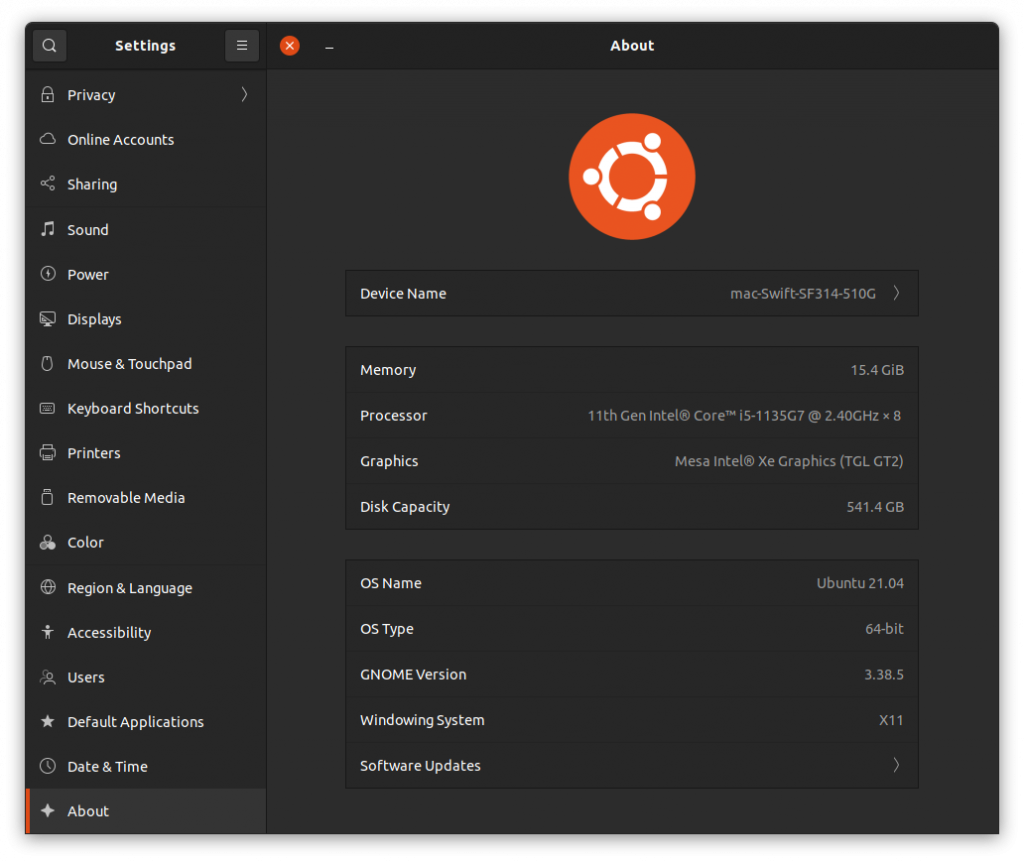
Acer Swift 3X SF314-510G is not just another Intel-powered laptop. This model is unique as it comes with Intel Iris Xe Max GPU ( Intel DG1 ). As of this writing, the Ubuntu official kernel doesn’t have support for this GPU. However, since the 11th Gen Intel Core i5-1135G7 also comes with integrated Iris Xe graphics, the latest Ubuntu bootable USB installation drive booted into it without any issues. Everything was working except the Intel Iris Xe Max GPU because of a lack of drivers.

Acer Iris Xe Max GPU

Installing Ubuntu 21.04 Linux on Acer Swift 3X SF314-510G

Since I was able to boot the live USB without any issues, I thought i will install it after updating Windows 10 to Windows 11. I enrolled in the Windows Insider program and installed the new Windows 11 without any issues. The UI looks much better and polished than the older Windows versions. If you are a Windows user, I would highly recommend you give it a try. From my limited usage, I didn’t see the Blue Screen of Death, which is now black I heard.

After using Windows 11 for a while, I decided to Dual boot Ubuntu 21.04 on my new Acer Swift SF314-510G. Installation went without any issues. Since the new Ubuntu versions support Secure Boot, you don’t have to disable it in the Bios and use legacy mode. Everything got installed and the system rebooted. However, the GRUB bootloader, which was needed for Ubuntu to boot didn’t load at startup. Naturally, I googled for solutions and got a wide range of solutions to try out.

A few users suggested i try the following commands

bcdedit /set {bootmgr} path \EFI\Microsoft\Boot\shimx64.efi
or
bcdedit /set {bootmgr} path \EFI\ubuntu\grubx64.efi

For me, both of these commands didn’t work. So I moved on to other solutions.

Acer has a Bios feature that lets you choose a .EFI file as trusted. In order to do that, first, you have to set a Bios Supervisor password. You can do that easily from the Security tab. Then you have to choose the Select a UEFI file as trusted for executing option. This will let you browse through the EFI partition. From there, navigate to the ubuntu folder and find the shimx64.efi. If no such file exists, look for grubx64.efi. Select it by entering. It will prompt you to enter a name. After finishing this step successfully, reboot. You will now have a new entry in the bootable items listed in the F12 boot menu. This process will give you the Grub loader to boot from on many many Acer Laptops.

However, in my case, it didn’t. So I repeated the Ubuntu installation process after resetting everything in the BIOS to default. Also i tried with and without Secure boot enabled. I again ran into the same issue. but this time, I got empty EFI Ubuntu folders. When I mounted the EFI ubuntu folder using a live system, I found the needed files there but for some reason, BIOS didn’t show it.

I tried using older Ubuntu versions – even installed older Ubuntu 18.04 LTS just to see if it will give me the GRUB. Now i ran into a new error – Executing ‘grub-install /dev/nvme0n1’ failed – This is a fatal error. I switched back to the latest Ubuntu live CD, and to my surprise, i started to see this new grub-install error in that as well! Again, I google-searched for solutions, and nothing these great minds suggested worked in my case.

Since I am a full-time Ubuntu user, I actually didn’t need to have Dual Boot Windows 11 and Ubuntu on my Acer Swift 3X SF314-510G. I can easily live without it. However, I wanted to test out the new UI and Windows experience, hence the decision to Dual boot. Also, I was afraid Acer has done some bad EFI Secure Boot implementation that wouldn’t let Ubuntu or other Linux booting on their new laptops. So removing Windows, formatting the whole drive, and installing Ubuntu alone was a risk. However, I was forced to do exactly that thanks to a fix suggested by Gparted. I was using Gparted in the live session to look at the partitions, and it alerted me of some issue with a drive. I hit FIX without thinking much and.. managed to corrupt the Windows partition. ie I screwed up. The Windows bootloader recovery tried to fix it automatically and failed. I tried a few different things and all failed. So I went from trying to fix the Ubuntu GRUB loading issue to trying to fix Windows 11 loading issue.

Finally, I decided to wipe everything off and go Full Ubuntu. I did select Install third-party software for graphics and Wi-Fi hardware and additional media formats during the installation and during the first boot, I performed the “Perform MOK management” and used the “Enroll MOK” option. All went well. It worked. I was able to Boot into the new Ubuntu installation without any issues.

Installing Ubuntu 21.04 Linux on Acer Swift 3X SF314-510G Iris Xe Max GPU

I don’t know the exact reason why the GRUB didn’t load properly. It could be a bug in the GRUB, it could be the Windows 11 bootloader blocking other OSes, or maybe it’s due to some bad Acer BIOS EFI issue.

What I am now trying to do is get a Kernel with support for Iris Xe Max GPU ( Intel DG1 ). According to the reports online, the Linux 5.14 kernel will land with the support for the DG1 GPU. Intel developers are pushing various patches to the kernel to support this new GPU. I tried signing and booting with a 5.14.0-051400rc2-generic but is yet to have drivers for the DG1 GPU.